Skip to content
Touch IQ
✦ AIWrite and draw sessions with Claude

Soccer session planner · For coaches worldwide

Plan every session.Show it on the pitch.

Build the session, draw it on a real pitch, press Play and watch the players move. Then hand it out as a picture, a PDF or a video.

Touch IQ

Pressing: win it high

Setup

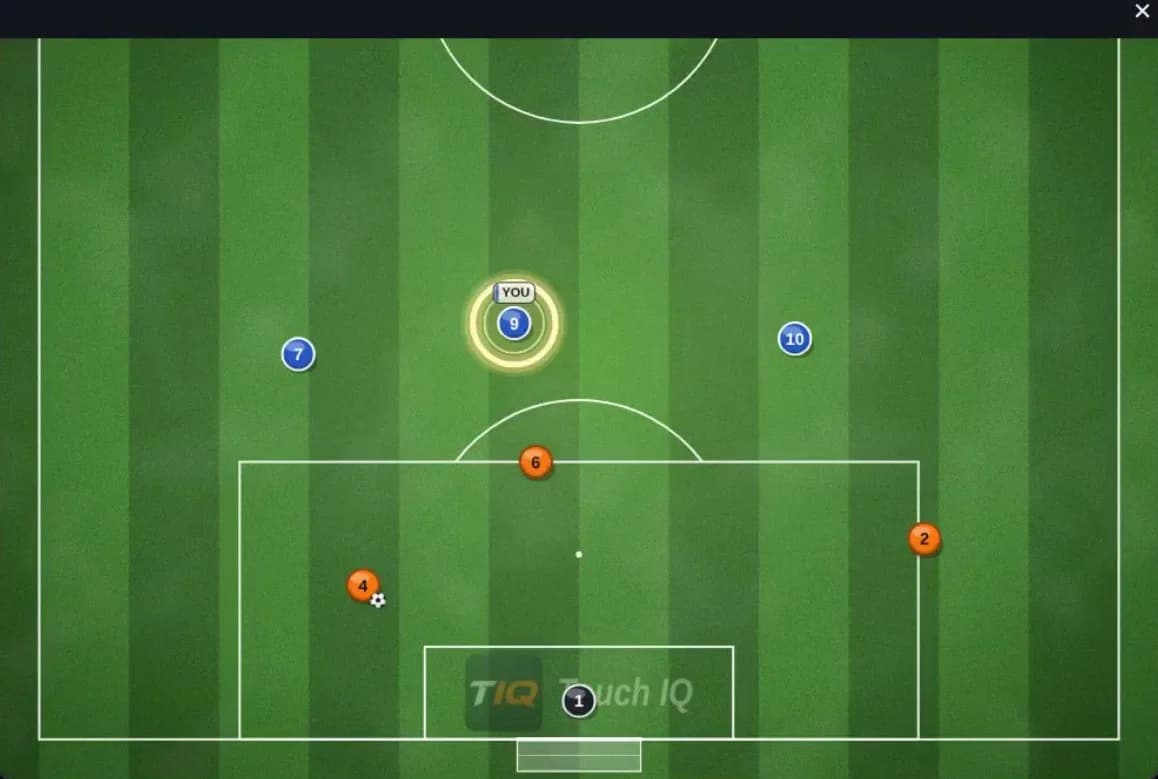
Everyone in place.

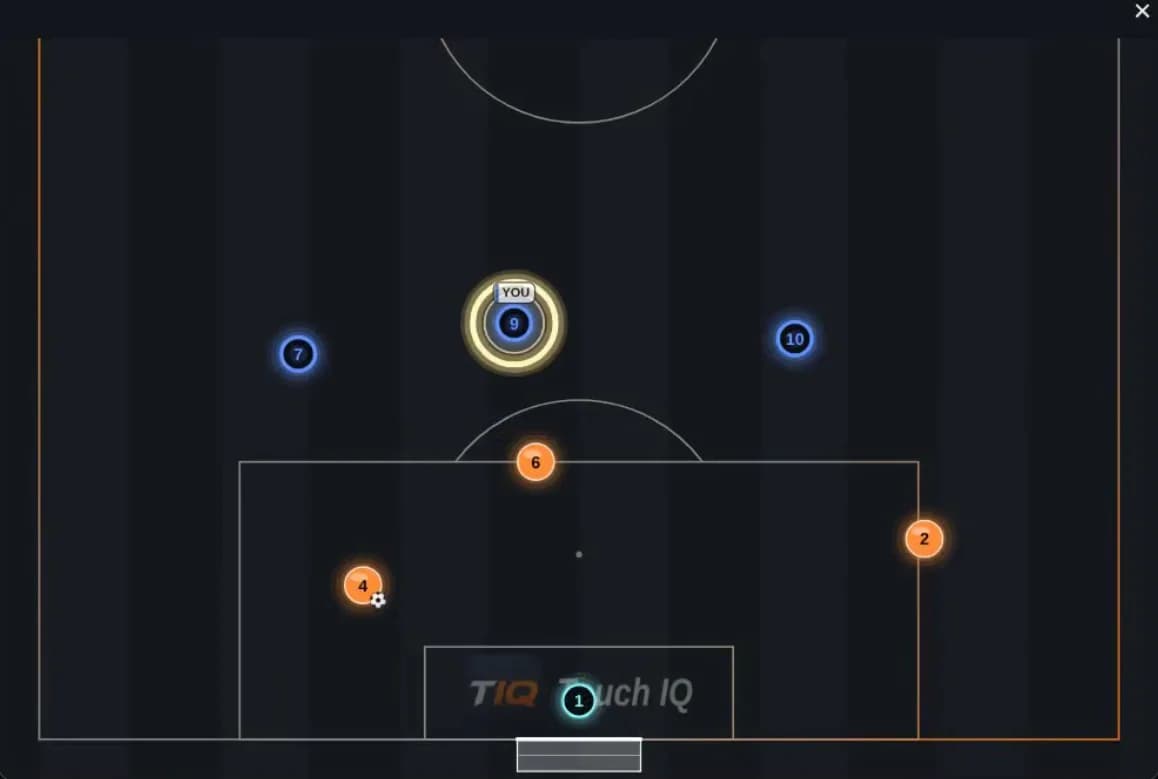
14629107YOUTouch IQ
  1. Step 1: As the ball travels, go.
  2. Step 2: Bend your run to cut off the pass inside.
  3. Step 3: Side-on. Show him to the touchline.
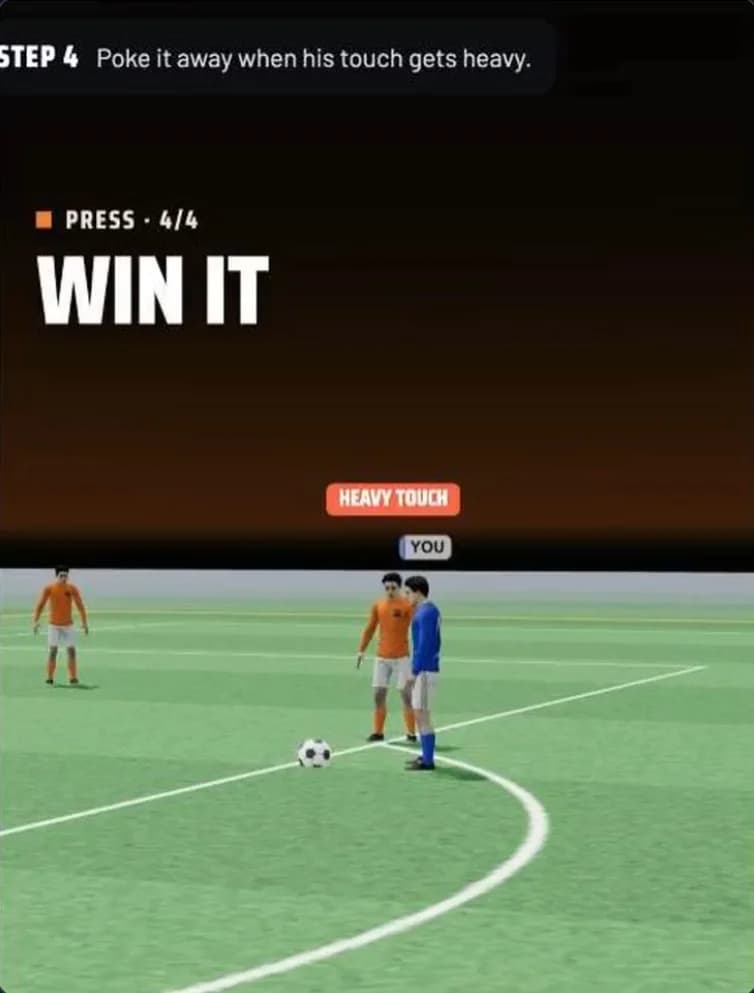
  4. Step 4: Poke it away when his touch gets heavy.
  5. Step 5: Win it high, go straight to goal.
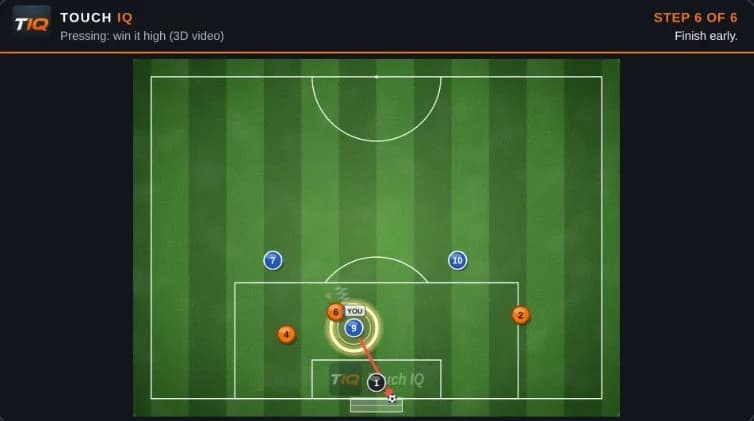
  6. Step 6: Finish early.

AI add-on · Built with Claude

Describe it. Claude builds it.

Type what you want in plain words. Claude writes the block and draws the drill. You check it, change it and save it to your library.

Write with Claude

Describe the block in one line. Claude fills in the plan: objective, key coaching point, set-up and progressions.

Describe it

Write with Claude
Block
Press high, then go
Objective
Win the ball in the front third and finish within 8 seconds.
Key coaching point
First look forward the moment you win it.
Set-up
40 x 30 yd, 6v6 + 2 GK, two big nets.
Progression
A goal within 8 seconds of winning the ball counts double.
Draw with Claude

Describe the drill. Claude puts it on the pitch: players, cones, the ball and every pass.

Describe it

Draw with Claude
1234DD

An optional add-on. Every session can still be built by hand.

See AI in a demo

Step by step

Make it move. Make it glow.

Drag a player to where they go and the line draws itself. Press Play and the drill runs step by step. Switch to the dark pitch and the players light up in neon, made for a TV in the changing room.

Dark neon pitch, playing
The drill “Pressing: win it high” playing on the dark neon pitch

Dark neonfor the TV in the changing room

Striped pitch, playing
The same drill playing on the striped grass pitch

Striped grassmown bands, like match day

  1. 01Arrive fastAs the ball travels, go.
  2. 02Curve the runBend your run to cut off the pass inside.
  3. 03Show him wideSide-on. Show him to the touchline.
  4. 04Win itPoke it away when his touch gets heavy.
  5. 05Go!Win it high, go straight to goal.
  6. 06FinishFinish early.

Real playback of the drill “Pressing: win it high” in the Touch IQ library.

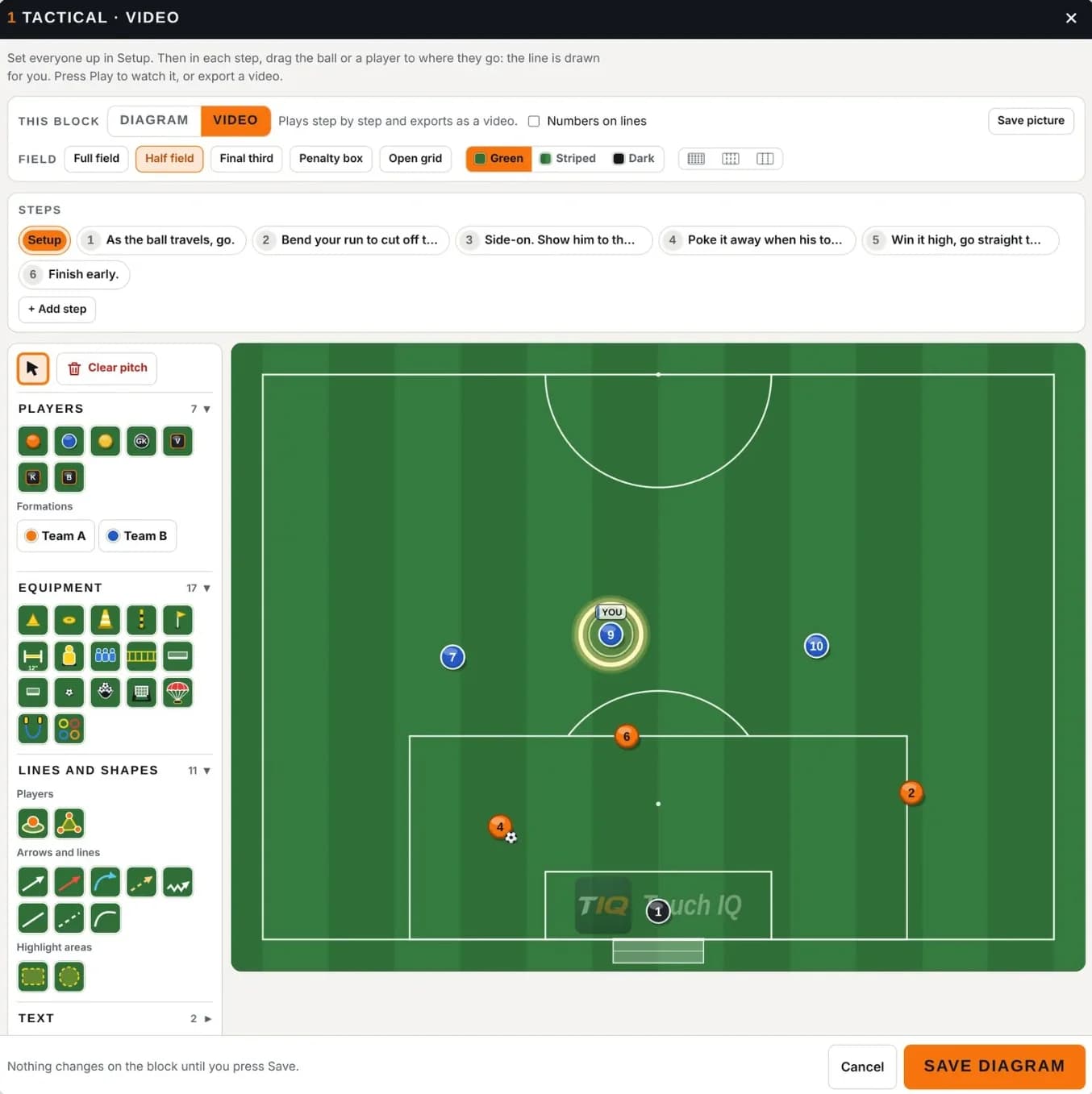
Pitch editor

Draw it on a real pitch

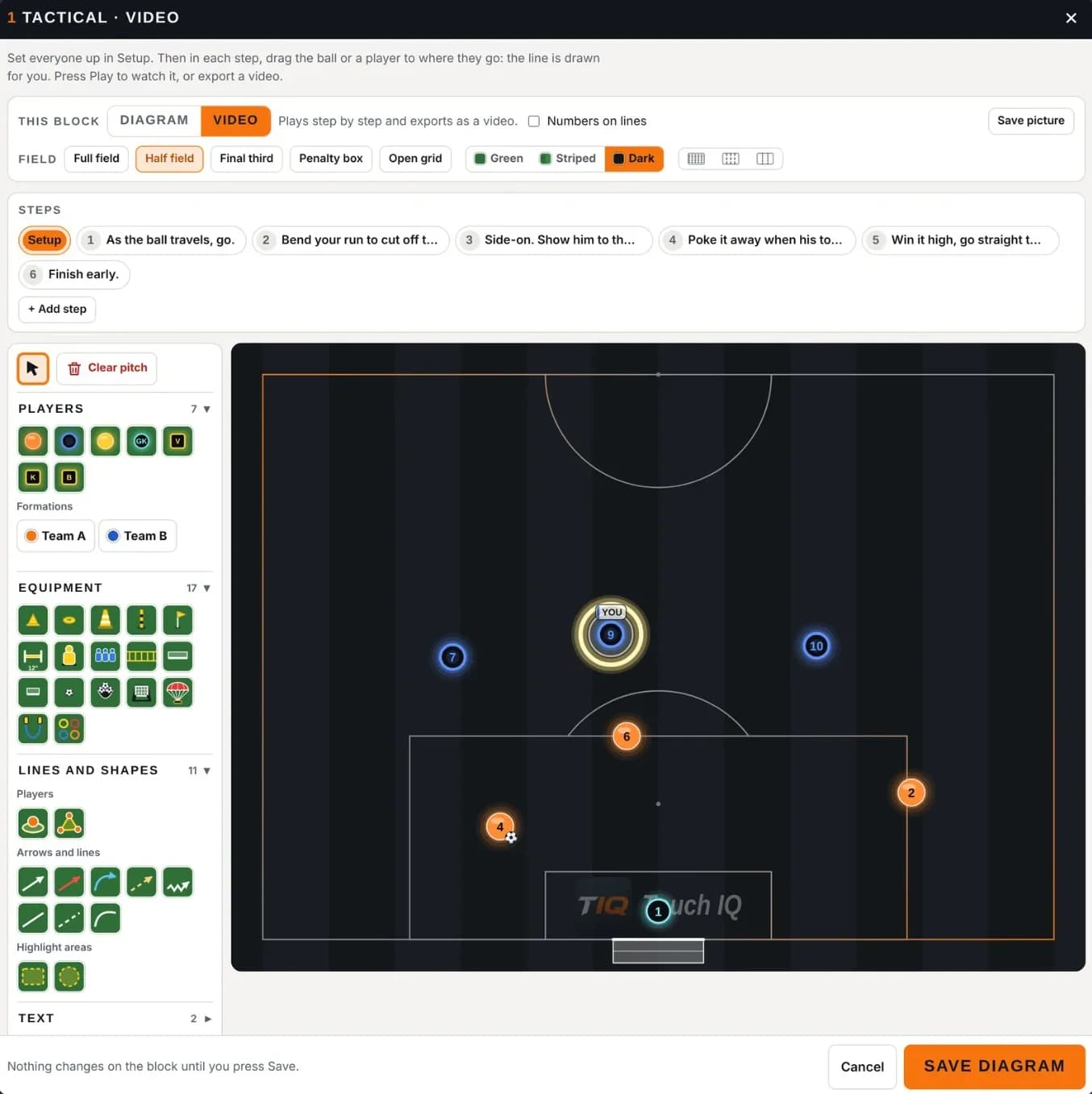
Full field, half field, final third, penalty box or an open grid. Drop in players, formations, cones, mannequins, ladders and nets, then add runs, passes, dribbles and highlight areas.

  • Full field
  • Half field
  • Final third
  • Penalty box
  • Open grid
  • Players
  • Formations
  • Cones
  • Mannequins
  • Ladders
  • Nets
  • Runs
  • Passes
  • Dribbles
  • Highlight areas

Rather describe it? Draw with Claude puts the drill on the pitch for you.

The pitch editor: steps, players, equipment, lines and a half-field diagram

What you hand out

Exports that look like a pro club made them

Every export carries the Touch IQ strip, the drill name and the step, so players and parents know exactly what they are looking at.

  • A step exported as a picture with the Touch IQ strip, drill name and step
    1920 × 1080

    Picture

    Any step as a 1920 × 1080 picture, ready for the group chat.

  • The first page of a session report PDF
    PDF

    Session report PDF

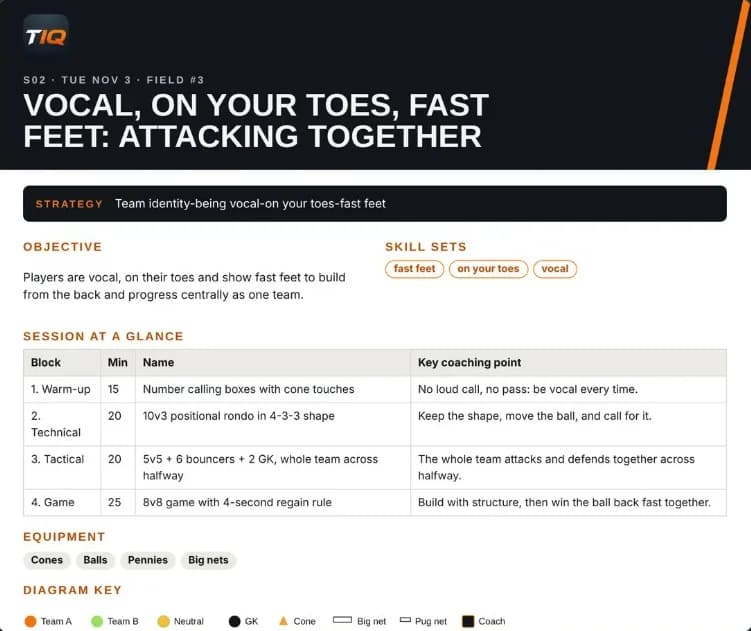
    The whole session on one report: objective, skills, every block, equipment and diagrams. High quality, mailing or print-friendly.

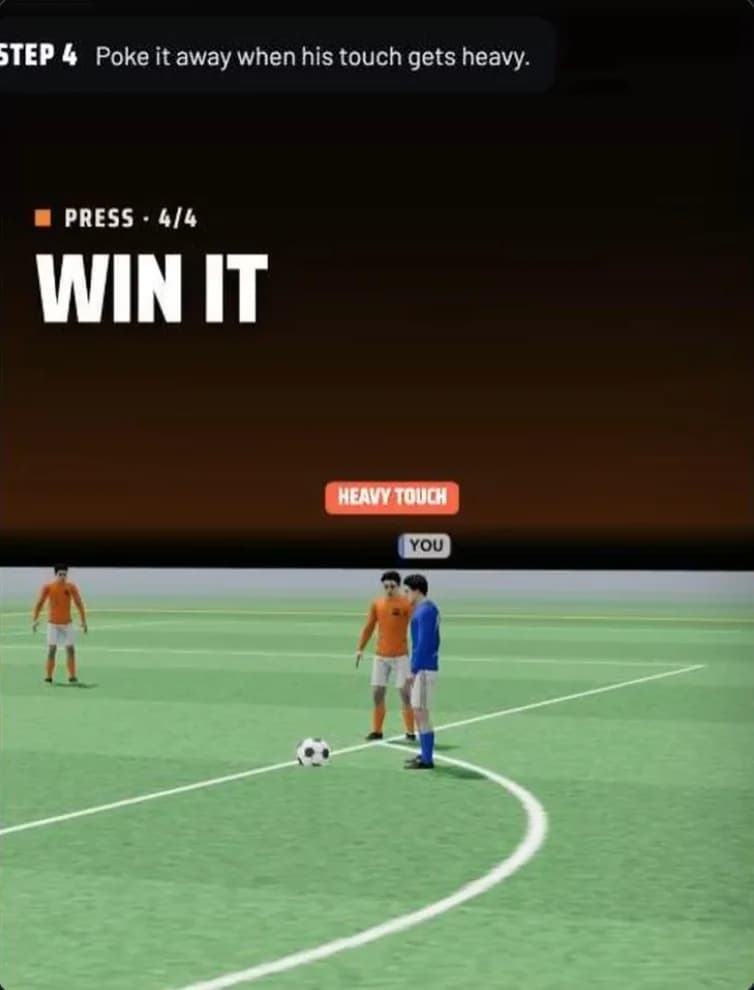
  • A frame from a vertical 3D video: “Win it”, step 4 of the press
    Up to 1080p

    Video

    A vertical 3D clip with captions and the Touch IQ mark, up to 1080p, made for Instagram and WhatsApp.

Session planner

Build the session in four steps

  1. 1The squad

    Set the players, goalkeepers and bibs.

  2. 2The idea

    Name the session and its strategy.

  3. 3The moment

    Pick the game moment and the intensity.

  4. 4The blocks

    Add blocks from the library, each with its diagram, coaching points, progressions and a job for every assistant coach.

Game moment and intensity pickers in the session planner

Game moment

Attacking, defending and both transitions.

Intensity

Low, moderate, high or match intensity.

Session planner
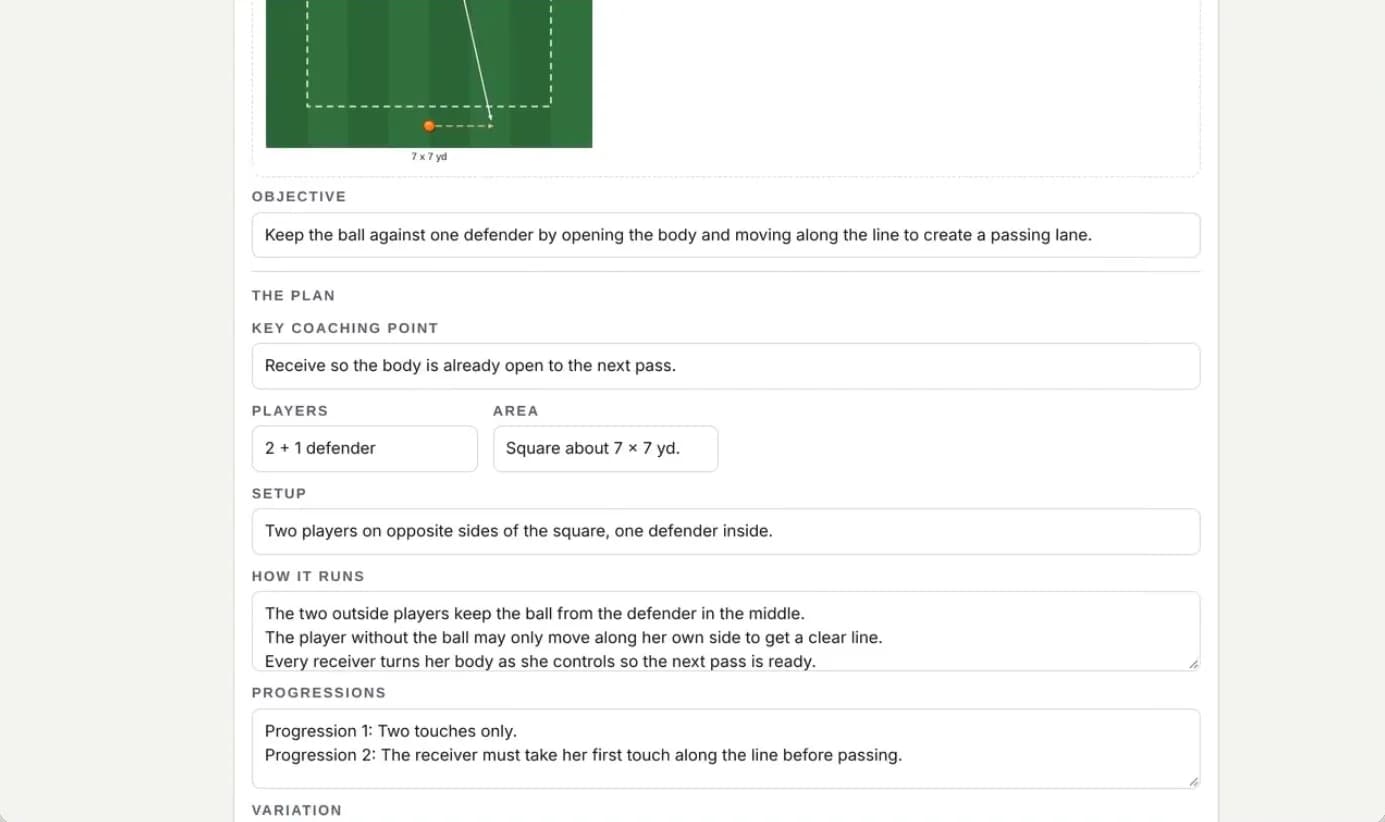
A session block in the planner: objective, key coaching point, players, set-up and progressions

3D view

Walk around the drill

Turn any diagram into 3D with animated players. The camera cuts between shots on its own, broadcast graphics call out every step, and you can pick your own view: top, side, behind or at player height.

Your viewTopSideBehindPlayer height
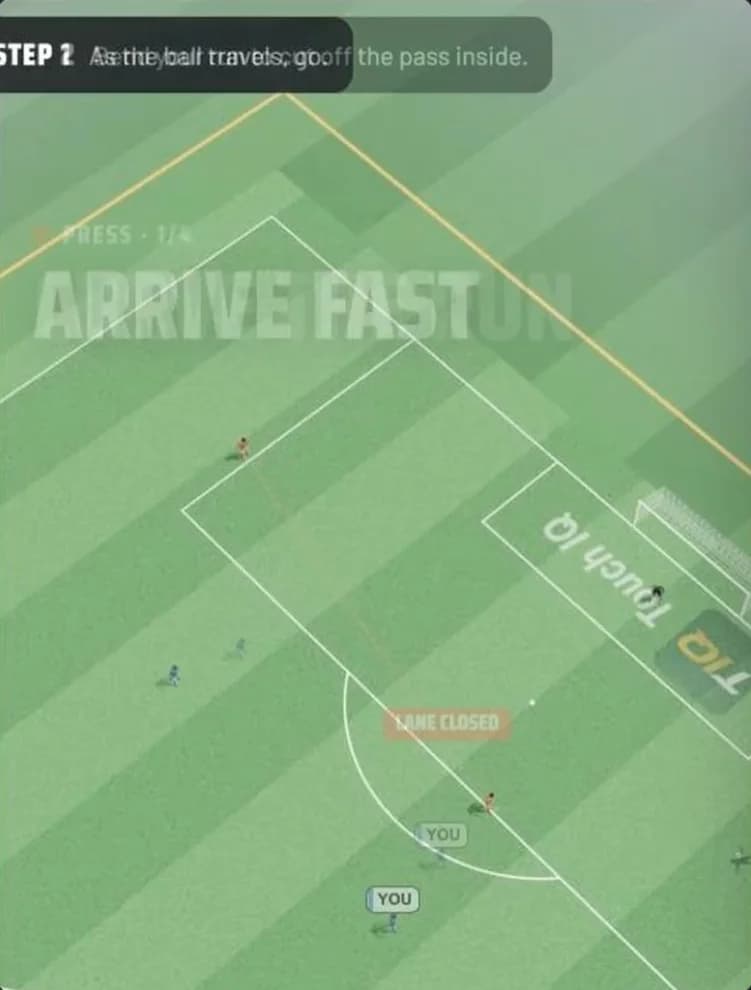
  • 3D view, director’s cut: the press with on-screen graphics

    Director’s cutautomatic camera shots and on-screen graphics, step by step

  • 3D view from above: the lane the press closes

    High viewthe whole press from above, with the lane it closes

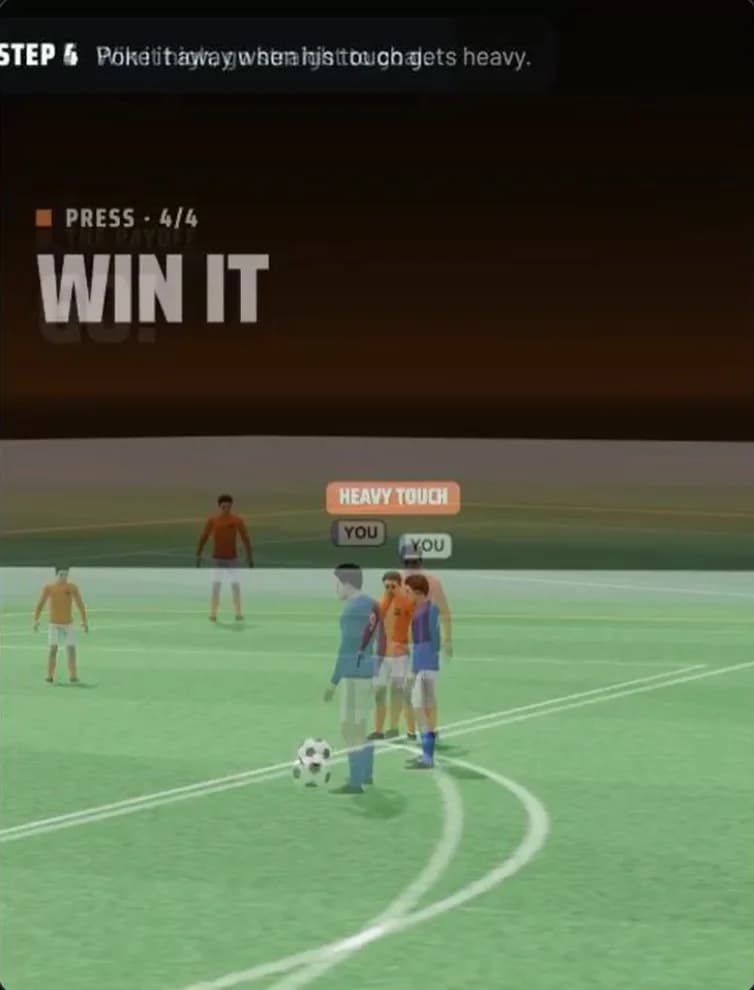
  • 3D view at player height, close on the ball

    Close on the ballwin it, go, finish: down at player height

Captured from the real 3D view in the Touch IQ planner, drill “Pressing: win it high”.

Session report
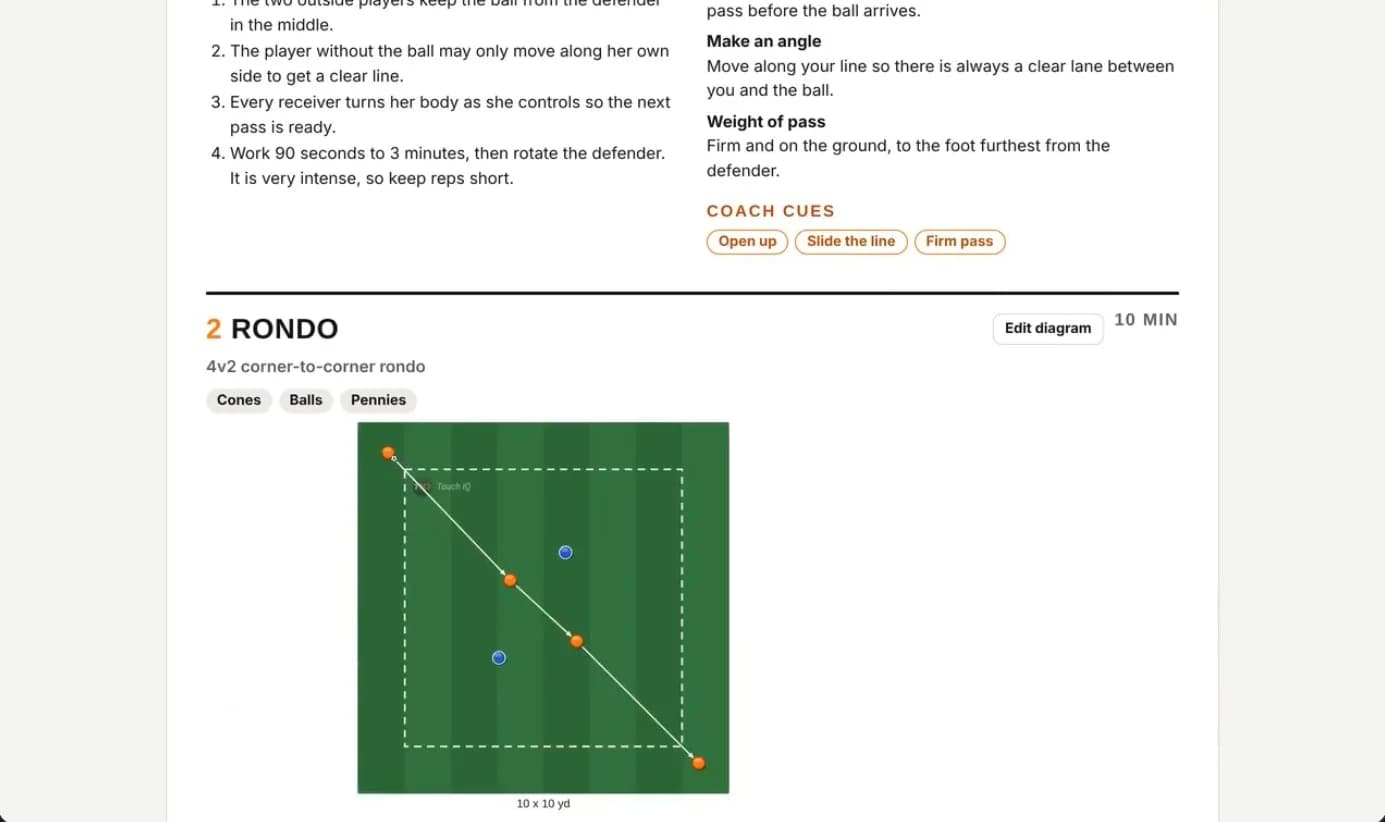
A session report: coaching points, cues and the rondo block with its diagram

The final report

One click to a coach-ready report

Build session report turns the plan into a finished document.

  1. 01Touch IQ header
  2. 02Team
  3. 03Game moment
  4. 04Intensity
  5. 05Strategy
  6. 06Session at a glance
  7. 07Equipment
  8. 08Diagram key
  9. 09Every block with its pitch
  10. 10Organisation
  11. 11How it runs
  12. 12Progressions
  13. 13Coaching points and cues

Export it as a PDF in

  • High quality
  • Mailing quality
  • Print-friendly

Create a Game

A game day plan, not a scrap of paper

  1. Before

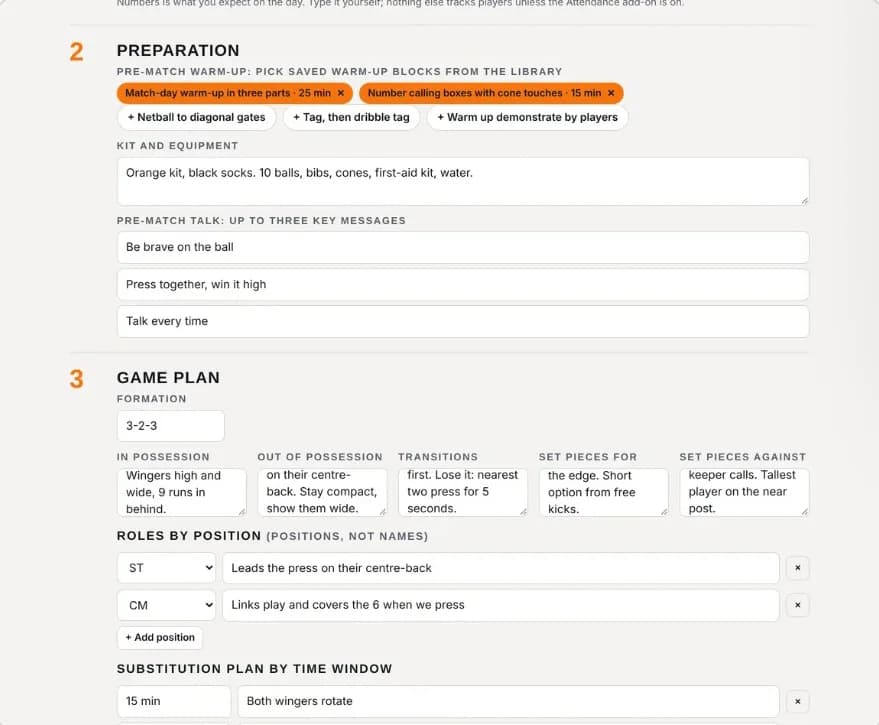
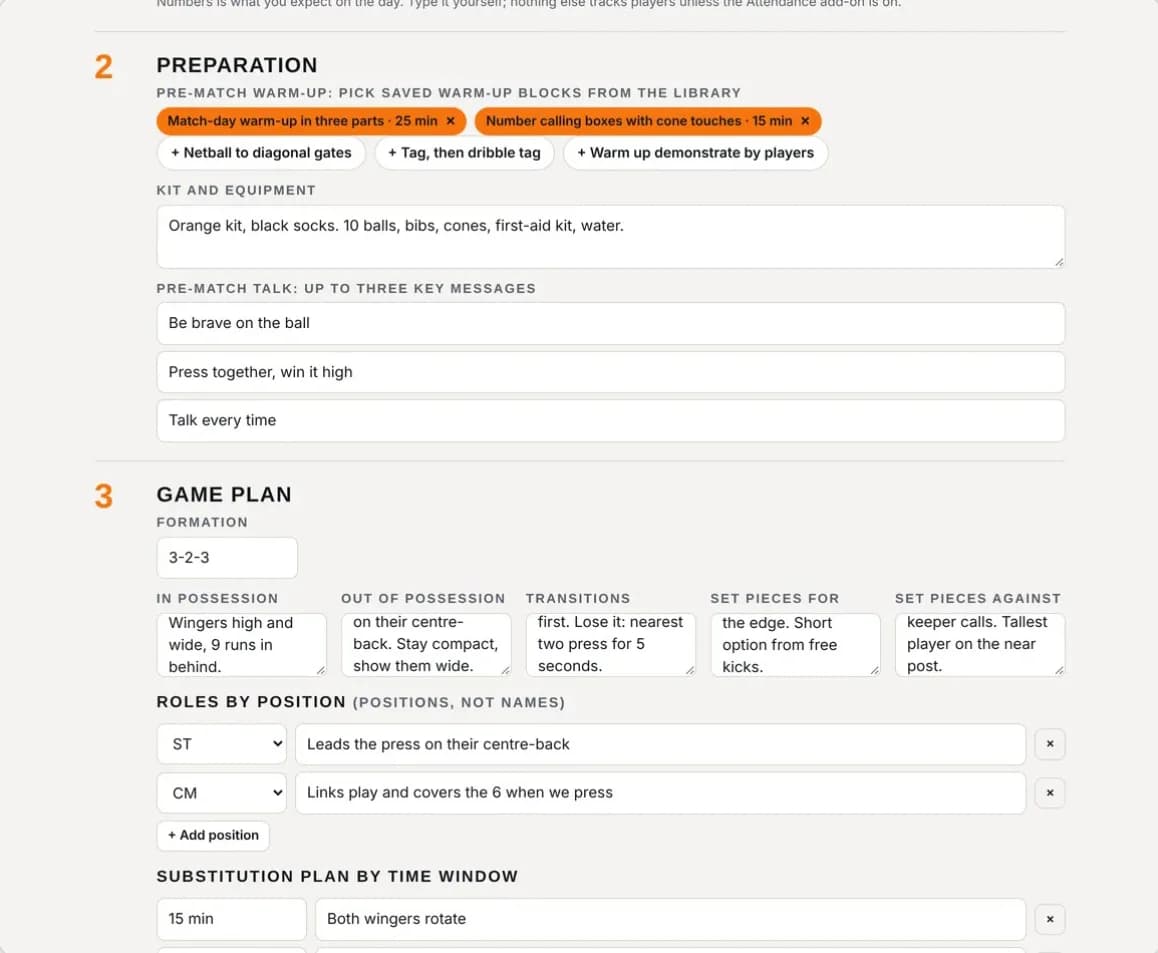
    Match details, format and halves. A pre-match warm-up built from your library, kit and three key messages.

  2. Game plan

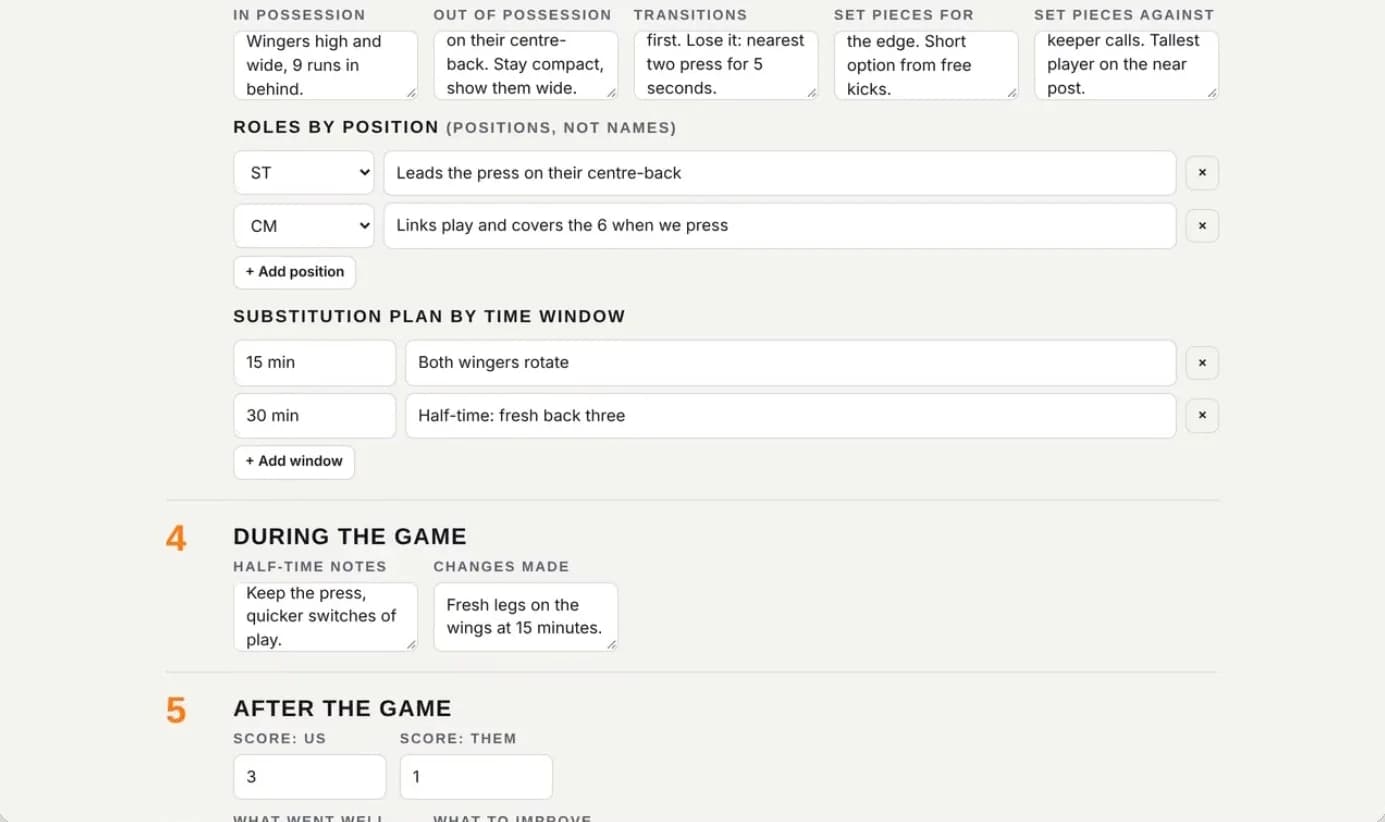
    Formation, in and out of possession, transitions, set pieces for and against, roles by position and a substitution plan by time window.

  3. Half-time

    Half-time notes.

  4. After

    The score, then what to work on next session.

Create a Game
Create a Game: roles by position, substitution plan, half-time notes and the score
Create a Game: pre-match warm-up, kit and three key messages, then the game plan

One place for the whole week

Training, games, calendar, library

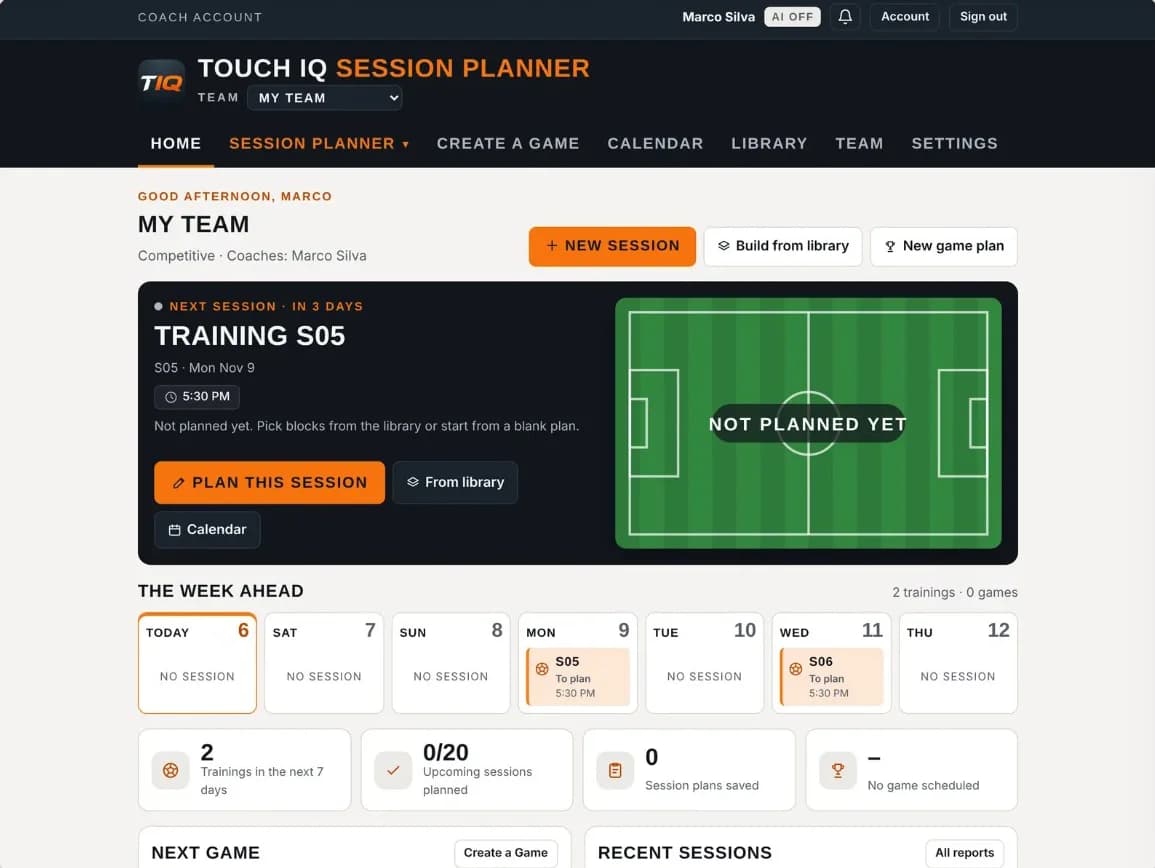
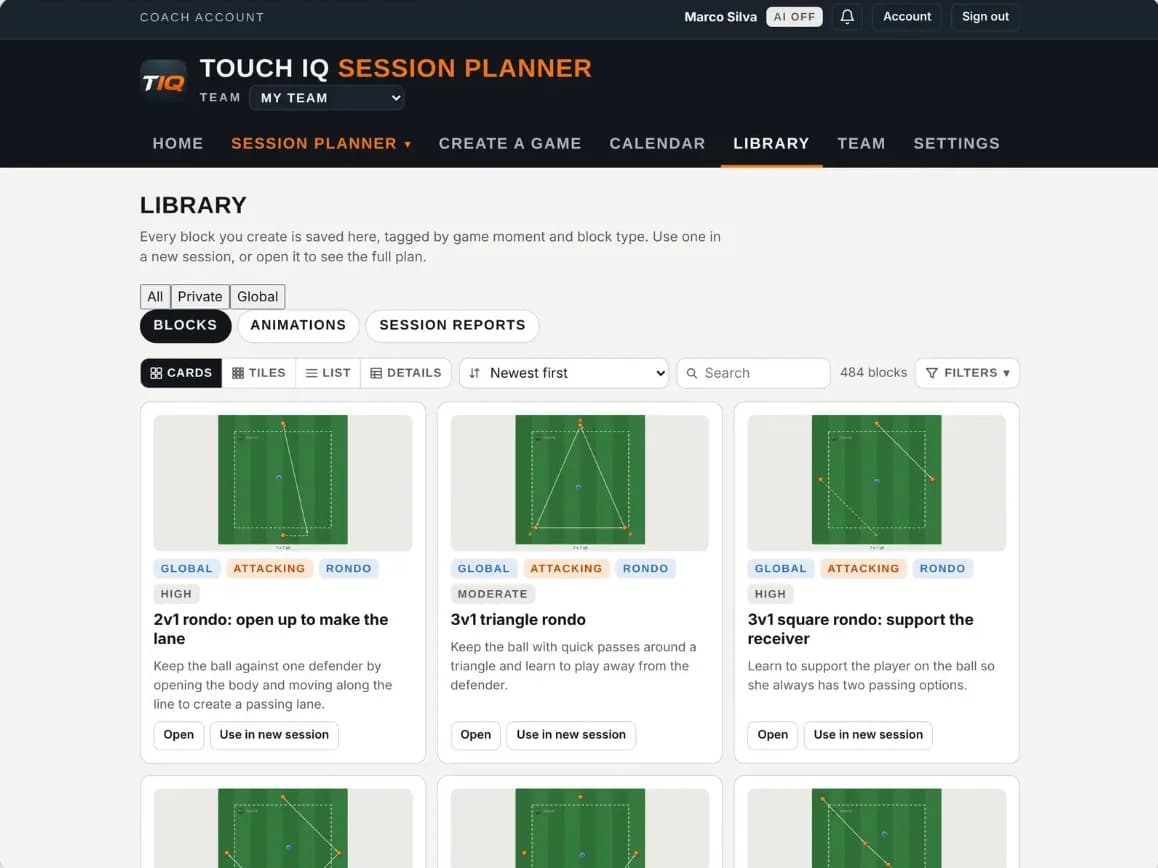
Your next session on the home screen, a game day plan for every match, one calendar that exports to your phone, and a library of ready drills with a pitch preview on every card.

  • The home screen: next session, the week ahead and the next game

    Home· what is next, at a glance

  • The library: drill cards with a pitch preview, tags and filters

    Library· 1,000+ sessions, private, club and global

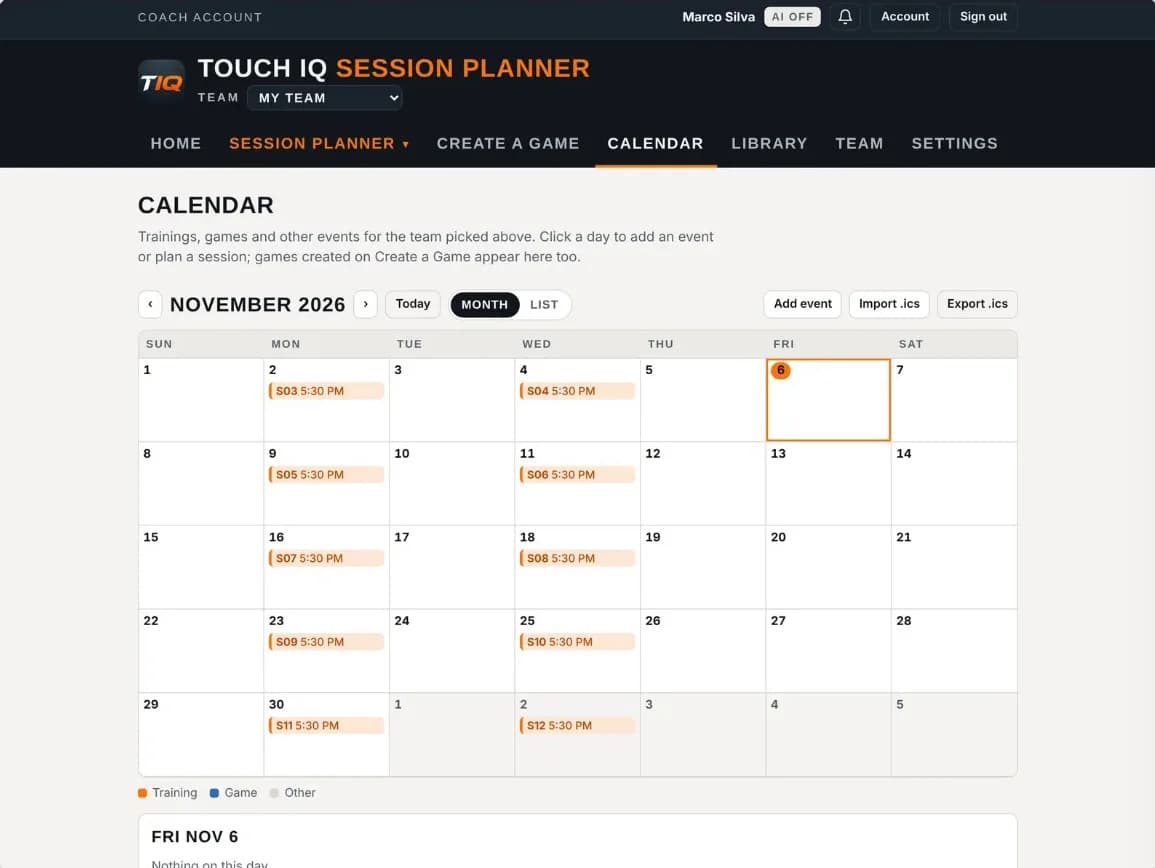
  • The calendar: November sessions and games, with export to your phone

    Calendar· sessions and games, exports to your phone

  • Game day: preparation and game plan

    Game day· before, during and after the match

For clubs

One club. One library.

  1. AdminInvites coaches and sets up teams.
  2. Technical DirectorSees every team's sessions and comments on reports.
  3. CoachesShare only what they choose. A coach's private team is never visible to the club.
The pitch editor with the dark pitch

Pricing

Pick your plan

Every plan has the whole session planner. Start with a 7-day free trial: cancel before it ends and you pay nothing.

Save about 25%

Starter

For one team

$119USD / year

About $9.92 a month, billed yearly

Teams
1
Game model builder
Add-on
AI credits a month
Add-on
AI deck import
Not included
Attendance
Add-on
Try Starter free for 7 daysor start now, no trial

Then $119 a year. Cancel any time.

Pro

Most popular

For AI help

$159USD / year

About $13.25 a month, billed yearly

Teams
1
Game model builder
Add-on
AI credits a month
60
AI deck import
Not included
Attendance
Add-on
Try Pro free for 7 daysor start now, no trial

Then $159 a year. Cancel any time.

Elite

For several teams

$239USD / year

About $19.92 a month, billed yearly

Teams
3
Game model builder
Add-on
AI credits a month
150
AI deck import
Included
Attendance
Included
Try Elite free for 7 daysor start now, no trial

Then $239 a year. Cancel any time.

Add what you need

Switch an add-on on and the prices above update. Plans that include it don’t change.

Game model builder covers one game model. Each extra game model is $1.99 a month or $19 a year.

Teams: each plan covers the teams shown above. Each extra team is $4.99 a month or $49 a year.

Also: Extra AI credits: $29 a year per 150.

Each AI drawing uses 1 credit; AI-written notes use 0.5.

Every plan has the whole planner

  • Session builder with game moment, intensity and bibs
  • Every block type, with coaching points, cues and assistant roles
  • Diagram editor: 17 equipment items, 11 lines and shapes
  • 2D and 3D moves, animation and video
  • Presentation mode, full screen
  • Library: private, club and global, 1,000+ sessions
  • Create a Game: line-up, substitutions, match log, game report
  • Calendar with .ics import and export
  • Team pages and your own coaching language
  • Session report and PDF export

Questions

Questions, answered

Do I need to install an app?

No. Touch IQ works in the browser on a computer, tablet or phone.

Do I have to use AI?

No. Every session can be built by hand. The AI helpers are an optional add-on.

Who can see my drills?

Only you, until you choose to share one with your club.

How does a club get started?

Book a demo and we set up your club, teams and coaches with you.

Book a demo

See Touch IQ on your own drills.

  • A guided tour
  • Set-up help for your club
  • Answers on plans and pricing

Book a demo